Tank Stars Mod APK for PC (Windows 11, Windows 10 and Mac)
CASUAL AZUR GAMES
- No Emulator Route
- Emulator Route
- Apple Silicon Mac
- Key Mapping
- Multi Instance
The official Play listing shows Tank Stars as available on Android and Windows. Last verified 18 August 2026.
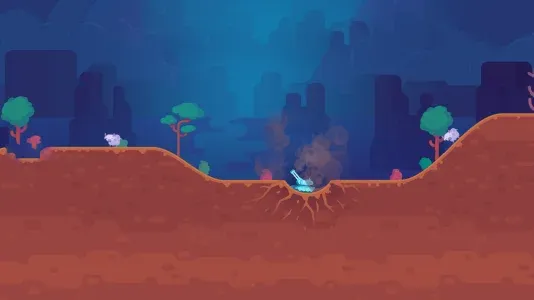
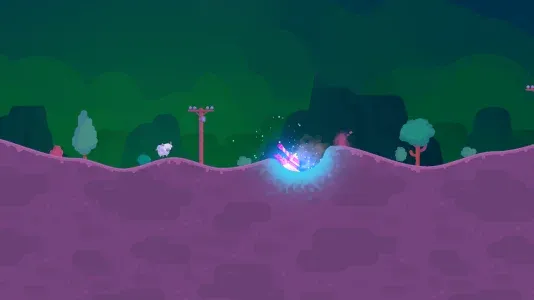
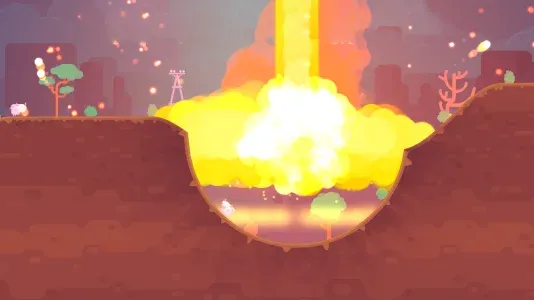
Tank Stars scales to a desktop window cleanly. The art is vector based, so a larger screen sharpens it rather than stretching it.
There are three ways to get Tank Stars onto a computer, and only two of them will run a modified build. Google publishes an official Windows version, so the retail game needs no emulator at all, but that route installs from Google’s own catalog and cannot load a patched package. To play the tank stars mod apk on a desktop you need an Android emulator, and the specific package on this site adds a processor requirement most guides never mention. This page covers all three routes and which one fits your machine.
Three routes, and what each one can actually run
| Route | Platform | Runs the retail game | Runs the mod |
|---|---|---|---|
| Google Play Games on PC | Windows 10 v2004 and newer | Yes, no emulator | No |
| Android emulator | Windows, Intel or AMD | Yes | Yes, with a 64-bit instance |
| BlueStacks Air | macOS 11 and newer, Apple Silicon only | Yes | Yes, natively |
The distinction matters because almost every page ranking for this search treats “play Tank Stars on PC” and “run the mod on PC” as the same question. They are not. Pick the row that matches what you actually want.
Route 1: Google Play Games on PC, no emulator needed
Google’s own Play Games client runs a curated set of Android titles natively on Windows, and Tank Stars is one of them. The Play Store listing states it plainly under Available on: Android and Windows, with a footnote reading “Powered by Intel technology”. This is the cleanest way to play on a desktop, and it is free.
Google publishes these minimum requirements:
| Operating system | Windows 10 version 2004 or newer |
|---|---|
| Storage | Solid state drive with 10 GB free |
| Memory | 8 GB |
| Processor | 4 physical cores |
| Graphics | Intel UHD Graphics 630 or comparable |
| Account | A Windows administrator account |
| Firmware | Hardware virtualisation enabled in BIOS or UEFI |
Two of those trip people up. Hardware virtualisation is off by default on a lot of prebuilt desktops and needs enabling in firmware, listed as Intel VT-x, AMD-V or SVM depending on the board. And the storage requirement is specifically an SSD, not just 10 GB of free space, because the client streams game data during play.
Progress syncs through your Google account, so a session started on your phone continues on the desktop and back again. That is a genuine advantage of this route and one no emulator reproduces reliably.
What it will not do is load a modified package. You install from Google’s catalog inside the client, there is no sideload option, and a resigned APK would fail signature validation even if there were. If unlimited money is the reason you are here, this route is a dead end and route 2 is where you want to be.
Route 2: an Android emulator, the only way to run the mod on Windows
An emulator gives you a full Android environment on the desktop, which means you can install any package you like, including a patched one. The catch specific to this download is architecture.
The 2.20.001 package on this site contains only arm64-v8a code, including a 100 MB Unity library. Your PC is x86 or AMD64. The emulator therefore has to translate ARM instructions through a native bridge, and not every emulator or every Android profile can do it.
That single fact decides which emulator to install and how to configure it. Two practical consequences:
- Choose an emulator with a working ARM translation layer. MuMu Player handles arm64 libraries through a native bridge rather than full emulation, which is why it tends to be the most reliable choice for packages like this one.
- Create a 64-bit Android 11 or newer instance. LDPlayer and MemuPlay running an Android 9 profile frequently install packages as 32-bit, which cannot work when the package has no 32-bit code at all. The symptom is an install that appears to succeed and then a game that closes the moment you launch it.
Emulator vendors publish their own baselines rather than Google’s. MuMu Player lists Windows 7 or later, a 4-core Intel or AMD processor, 4 GB of memory and a GTX 950 or better, and claims up to 240 frames per second on capable hardware. Those are lighter numbers than Google Play Games asks for, which is worth knowing if your machine is older.
Installing the mod inside an emulator
- Install your emulator and let it finish its first-run setup, which downloads an Android system image and takes several minutes.
- Open the instance manager and create a new instance set to Android 11 or newer, 64-bit. Do not use the default Android 9 profile.
- Give the instance at least 4 GB of memory and 4 CPU cores in its settings. Unity games are memory hungry and the ARM bridge adds overhead on top.
- Download the APK from the button on this page. Save it somewhere you can find, such as the desktop.
- Drag the file onto the emulator window. Every major emulator installs a dropped APK directly. If yours does not, use its built in APK install button instead.
- Wait for the install to report success, then launch the game from the emulator home screen.
- Let the first launch run all the way through. It unpacks assets and the ARM bridge makes that slower than it would be on a phone, so a minute on a loading screen is normal.
- Open the hangar and confirm the tanks are unlocked. If they are not, the patch did not apply and no amount of reinstalling changes that.
Route 3: Mac, and why Apple Silicon is the best case
Google Play Games on PC has no macOS build, so route 1 does not exist here. What you have instead is BlueStacks Air, which runs on macOS 11 or newer and requires an Apple Silicon chip. M1 through M4 are supported. Intel Macs are not, and there is no workaround.
Here is the pleasant surprise. Apple Silicon is ARM, and this package is ARM only. On an M-series Mac the arm64 code runs natively with no translation layer at all, which makes a Mac the smoothest place to run this particular build. The processor requirement that stops the package working on an older Android phone is exactly what makes it run well here.
Keyboard and mouse controls
Tank Stars was designed for a thumb on a touchscreen, so a desktop needs key mapping to feel right. Every major emulator ships a mapping editor that draws virtual buttons over the game and binds them to keys.
The controls worth binding are the angle adjustment, the power slider and the fire button. Aiming is the one that benefits most. On a phone you drag the angle with a thumb and precision is limited by how much of the screen your hand covers. With a mouse you place the crosshair exactly, and on a large monitor you can read the trajectory arc far more accurately than on a 6-inch display. Players who move to a desktop usually find their first-shot accuracy improves noticeably.
Bind the weapon selection row to number keys as well. Switching weapons is the slowest part of a turn on touch, and a turn timer runs while you fumble.
Running more than one copy at once
Multi instance runs several independent Android environments side by side, each with its own account. It is a legitimate use on a desktop and the reason many players move there in the first place: one instance for your real account and one for the modified build, so the two never mix.
Budget the resources honestly. Each instance wants its own 4 GB of memory and its own CPU cores, so two instances on an 8 GB machine will swap constantly and both will stutter. 16 GB is the realistic floor for two instances of a Unity game running through an ARM bridge.
Fixing stutter and low frame rates
Confirm virtualisation is actually on
This is the single largest performance factor and the most commonly missed. Without hardware virtualisation the emulator falls back to software, and the result is unplayable rather than merely slow. Open Task Manager, go to Performance, select CPU, and look for Virtualization. If it reads Disabled, enable it in your firmware.
Give the instance enough cores
Emulators default to 2 cores and 2 GB, which is not enough for a Unity title going through instruction translation. Raise it to 4 cores and 4 GB and restart the instance.
Switch the graphics renderer
Most emulators let you choose between DirectX and OpenGL. Which one performs better depends on your GPU vendor rather than on the game, so try both and keep the one that holds a steadier frame rate. Changing it needs a restart of the instance to take effect.
Cap the frame rate
A 240 frame per second cap sounds appealing and mostly generates heat. Tank Stars is turn based and gains nothing above 60. Capping it lowers temperatures and, on a laptop, stops thermal throttling from causing the stutter you were trying to fix.
What you give up on a desktop
Online matchmaking is the main one. Running a patched client through an emulator gives the server two separate reasons to treat the session as irregular, and the account you sign in with is the one that carries the consequence. Use a spare account.
Cloud saves do not carry across routes. Progress made in the official Play Games client lives on your Google account. Progress made in a modified build inside an emulator generally stays in that instance, because a resigned package usually cannot sign in to Play Games at all. Deleting the instance deletes the save with it.
There is also an honesty point about the arm64 bridge. Translation is not free, and on a modest processor you will see lower frame rates than the same package achieves on a mid range phone. If your machine is near the minimum specs, the phone is genuinely the better experience.
Frequently asked questions
Is Tank Stars available on PC?
Yes. The official Google Play listing shows Tank Stars as available on Android and Windows, delivered through Google Play Games on PC. That version is the unmodified retail game. A modified build needs an Android emulator instead.
Can I play Tank Stars on PC without an emulator?
Yes, using Google Play Games on PC on Windows 10 version 2004 or newer. It installs the retail game natively with no emulator involved. It cannot install a patched package, because everything comes from Google’s own catalog and there is no sideload option.
Is Tank Stars free on PC?
Yes. Google Play Games on PC is free and so is Tank Stars itself. The retail game still carries in-app purchases and ads. Emulators such as MuMu Player, LDPlayer and BlueStacks are also free to download.
Does Tank Stars sync progress between PC and mobile?
Through Google Play Games on PC, yes, because both sign in to the same Google account. A modified build running in an emulator usually cannot sign in to Play Games, so its progress stays inside that emulator instance and is lost if you delete it.
What are the system requirements for Tank Stars on PC?
Google Play Games on PC needs Windows 10 version 2004, an SSD with 10 GB free, 8 GB of memory, 4 physical CPU cores, Intel UHD Graphics 630 or comparable, an administrator account and hardware virtualisation enabled. Emulators ask for less, typically 4 cores and 4 GB.
Is it safe to download Tank Stars for PC?
The Google Play Games route is as safe as any Google product. An emulator plus a patched package is a different risk profile: the file is resigned by an anonymous third party and nobody audits it. Run it in a dedicated emulator instance, not on a machine holding anything you care about.
How do I install Tank Stars on Windows?
For the retail game, install Google Play Games on PC, sign in and search for Tank Stars. For the modified build, install an emulator, create a 64-bit Android 11 instance, then drag the downloaded APK onto the emulator window to install it.
How do I fix Tank Stars lag on PC?
Check that hardware virtualisation is enabled, which you can confirm on the CPU page of Task Manager. Then raise the emulator instance to 4 cores and 4 GB, switch the renderer between DirectX and OpenGL to see which suits your GPU, and cap the frame rate at 60.
Can I play Tank Stars on Mac?
Yes, on an Apple Silicon Mac running macOS 11 or newer, using BlueStacks Air. Intel Macs are not supported. Apple Silicon is ARM based, so this arm64 package runs natively there with no translation layer, which makes a Mac the best performing option of the three.
How much RAM do I need for Tank Stars on PC?
8 GB for Google Play Games on PC, which is Google’s stated minimum. For an emulator, 4 GB assigned to the instance works, so 8 GB in the machine is comfortable. Running two instances at once realistically needs 16 GB.
Which route to pick
If you want Tank Stars on a Windows desktop and do not need the mod, install Google Play Games on PC and stop there. It is free, official, and your phone progress follows you. If you want the modified build, use an emulator with a 64-bit Android 11 instance and check virtualisation is on before blaming the game for stutter. On an Apple Silicon Mac, BlueStacks Air runs this package better than either Windows route, because there is nothing to translate.
All logo images and media related to Tank Stars are the property of their respective brand and are displayed solely for educational purposes. Tankstarsapp.com complies with 17 U.S.C. 512 and the Digital Millennium Copyright Act. If you believe any content infringes your copyright, please contact us, and we will promptly remove it.